Swatchsmith: Batch Palette Swaps for Pixel Art
A downloadable tool for Windows, macOS, and Linux
Recolour every sprite in a folder at once, with exact colours and as many variants as you need, all offline.
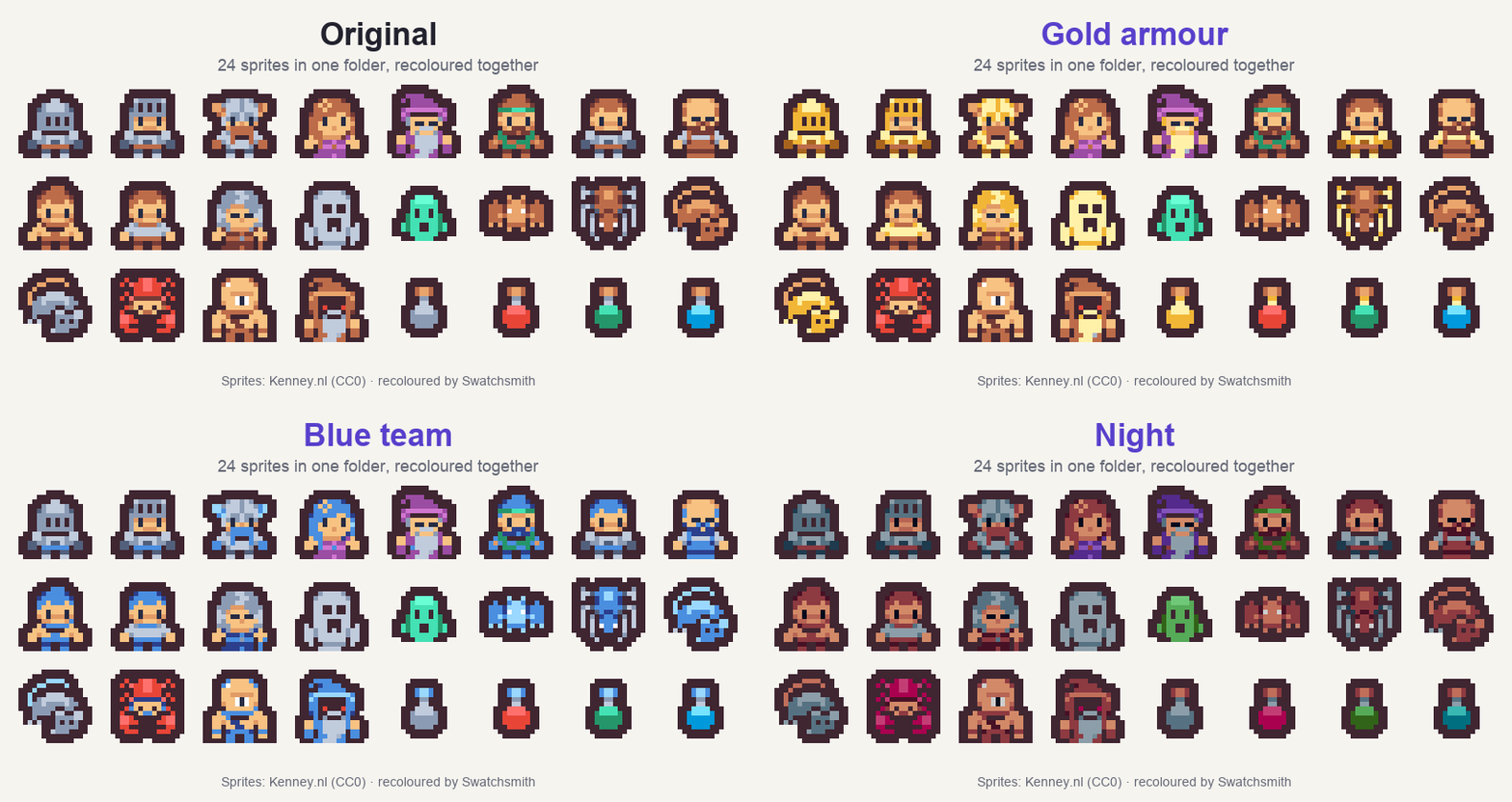
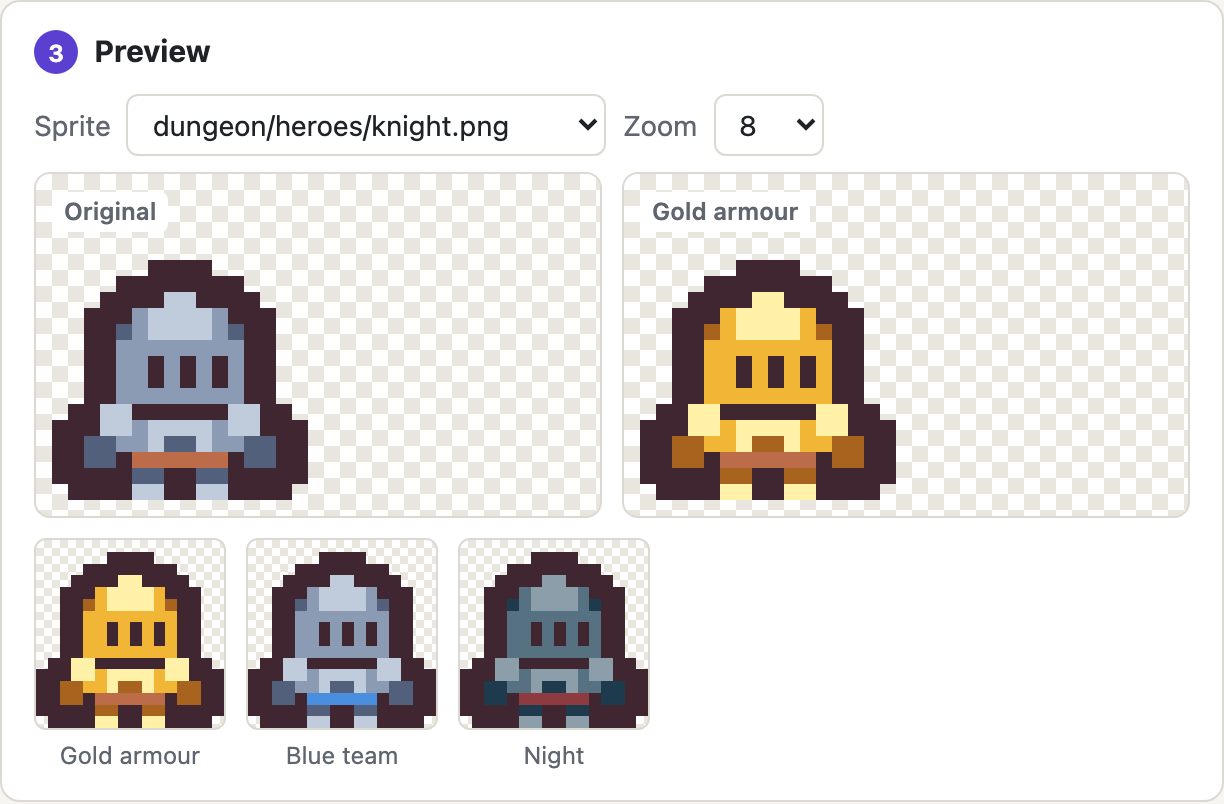
Need a blue team, a poisoned enemy, a night palette and a winter tileset? Swatchsmith swaps palettes across all of your PNG sprites in one go. You don't have to recolour every frame by hand.
Try it in your browser now, no download: free web demo (3 sprites, 1 variant, example sprites built in).
What it does
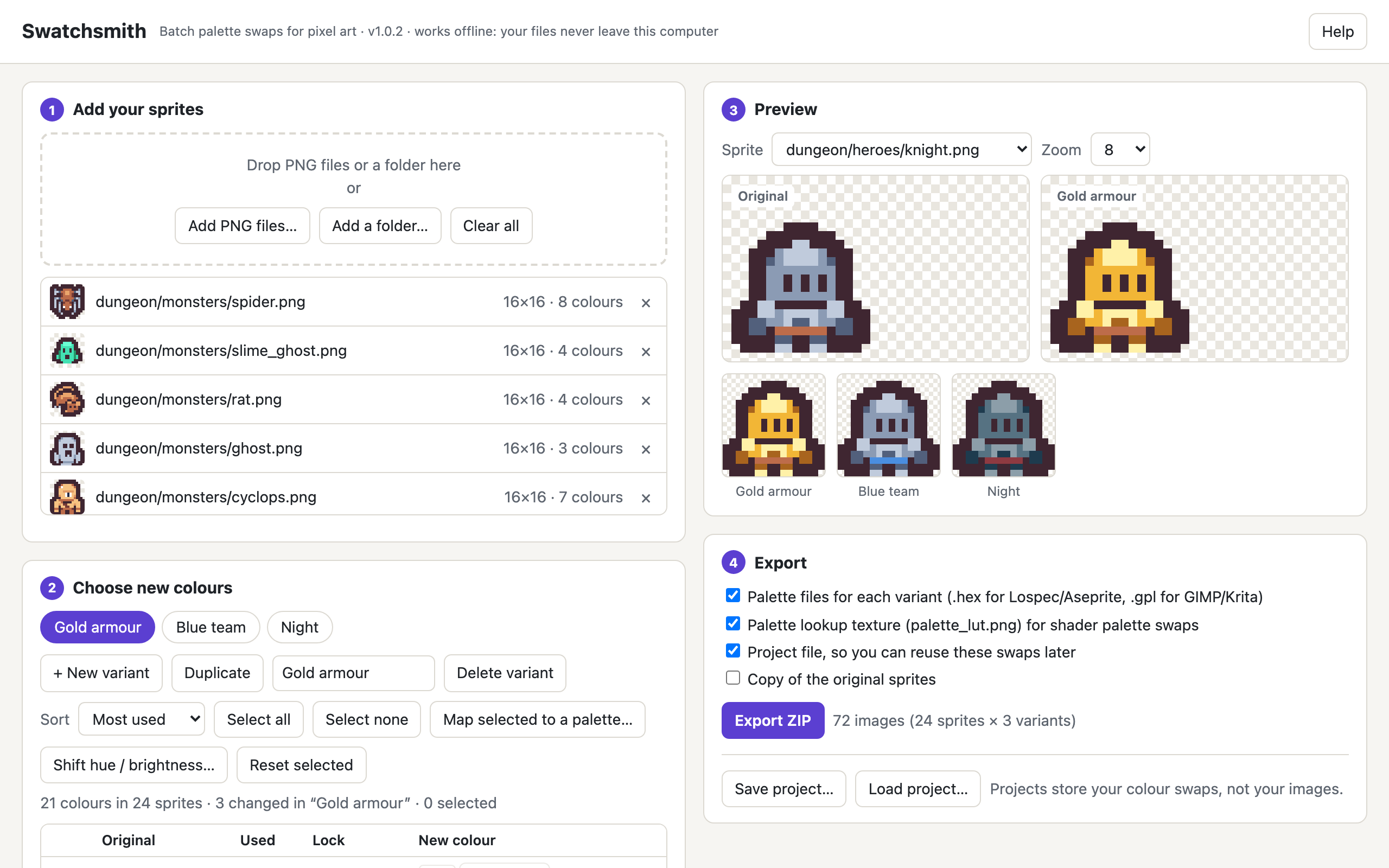
- Batch: add a whole folder of PNGs (sub-folders are kept) and every sprite and frame is recoloured together.
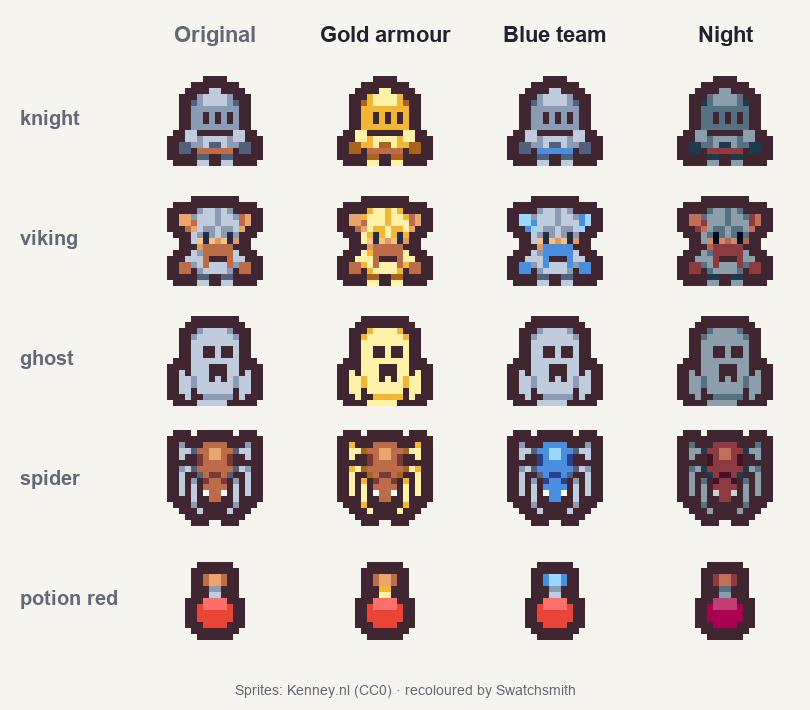
- Many variants: red team, blue team, elite, night… There's no fixed limit, and each one exports to its own folder.
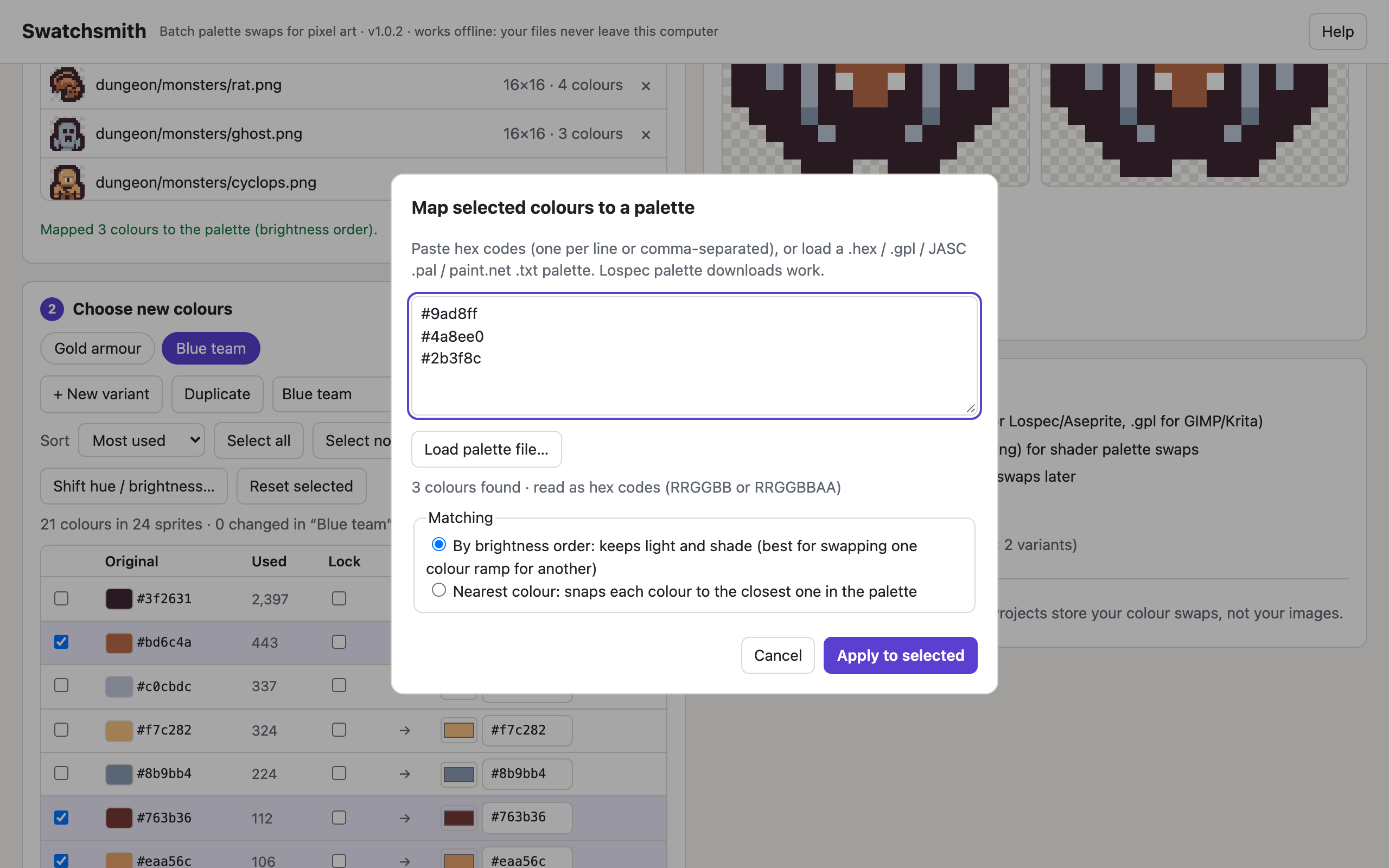
- Swap a whole colour ramp in one step: select a ramp, paste or load a palette, and map it by brightness order (keeps your shading) or nearest colour.
- Lock colours that must never change (outlines, eyes, UI).
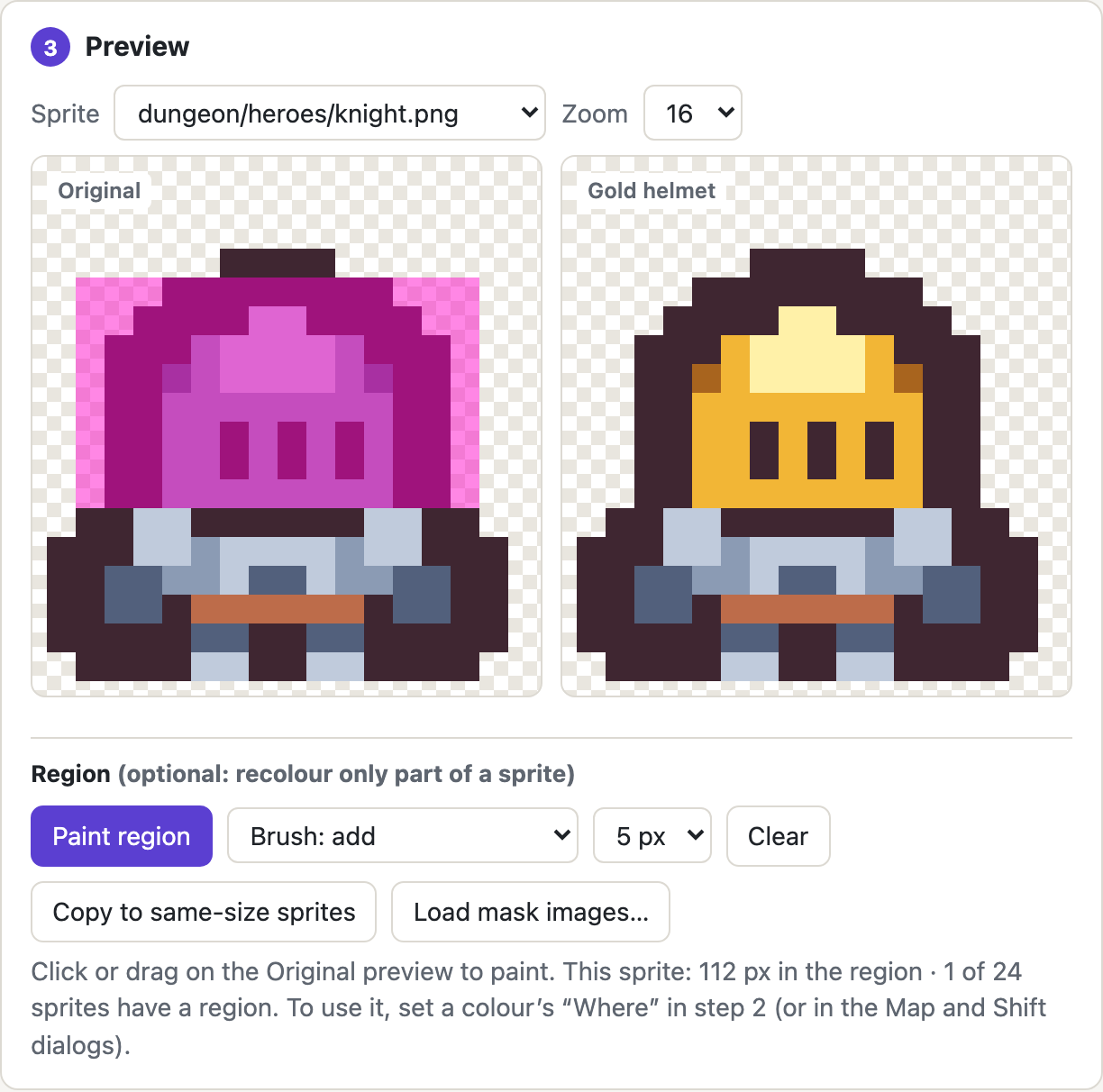
- New in 1.1: regions. When two parts of a sprite share a colour (a helmet and body armour, say), paint a region or load mask images, then recolour only inside it, or only outside it.
- Hue, saturation and brightness shifts in a perceptual colour space, so shading stays even.
- Pixel-perfect: exact colour matching, no smoothing or blending. Transparency is kept and only the colour changes.
- Export a ZIP with every variant,
.hexand.gplpalettes, a palette lookup texture (palette_lut.png, one row per variant) for shader-based palette swapping with ready-made Godot 4 and GLSL shaders, and a project file to reuse your swaps and regions on new sprites later. - Imports Lospec /
.hex, GIMP.gpl, JASC.paland paint.net.txtpalettes, or any PNG palette image.
Private and offline
Swatchsmith is a single HTML file that runs in your browser on your own computer. There's no install, no account, no uploads and no internet connection needed. Your art never leaves your machine.
Try it first
Use the web demo right now, or download the free demo ZIP below (with example sprites and a quick start). Both work with up to 3 sprites and 1 variant. Everything else is identical to the full version.
Requirements and testing
- A current desktop browser (2023 or newer). PNG images up to 4096 × 4096 and 65,536 colours each. Up to 64 megapixels and 262,144 colours per session (for example 256 sheets of 512 × 512).
- Tested on (macOS 27): the Safari 27.0.1 app, plus automated tests in the Brave 155 browser and in the Chromium (Chrome/Edge) and WebKit (Safari) engines. Not yet tested: the Chrome, Edge and Firefox apps, Windows and Linux. They use the same standard web features, but I haven't verified them.
- Shaders: the Godot 4 shader was tested in Godot 4.7.2 (Compatibility, Forward+ and Mobile renderers) and the GLSL one in WebGL2. Every pixel matched Swatchsmith's own exported PNGs.
- Exported file names are always unique and follow macOS, Windows and Linux naming rules, so nothing is overwritten when you unzip. Anything renamed is listed in the export's README.
- If it doesn't work on your system, post a comment and I'll fix it or arrange a refund.
AI disclosure
Swatchsmith's code, the example sprites included in the download, the README and this page's text were made with the help of generative AI. The code is checked by an automated test suite (exact-pixel checks against independent PNG decoders). The tool itself contains no AI and never generates art: it only recolours your own pixels, exactly as you choose.
The sprites in the screenshots are human-made: Tiny Dungeon by Kenney (CC0), recoloured with Swatchsmith.
Version 1.1.0 (14 Oct 2026) adds regions, ready-made shaders and palette images. Project files from 1.0 still open. The full changelog is in the download.
What you get: Swatchsmith.html, a quick-start README, known limitations, a changelog, example sprites and palettes, an example export, and a licence. Everything you make with it is yours to use commercially.
Purchase
In order to download this tool you must purchase it at or above the minimum price of $4.99 USD. You will get access to the following files:
Download demo
Development log
Leave a comment
Log in with itch.io to leave a comment.